
Advanced Bottleneck Calculator to Test PC Performance – 2026
Smart PC Bottleneck Calculator – Check CPU and GPU Balance Instantly – 2026
Unlock Your PC’s Full Performance — Instantly Detect CPU and GPU Bottlenecks
Get next-generation PC performance insights with our AI-powered PC Bottleneck Calculator. Quickly identify CPU, GPU, and RAM limitations, eliminate hardware imbalances, and receive smart upgrade recommendations in seconds. Optimize your system for gaming, content creation, and productivity with accurate, real-time analysis.
A Bottleneck Calculator removes the guesswork from PC upgrades by pinpointing the exact component limiting performance. Our PC bottleneck calculator explains why the issue occurs, not just where it happens. Get clear, actionable insights—no vague percentages—so you can upgrade with confidence.
What Is a Bottleneck in a PC?

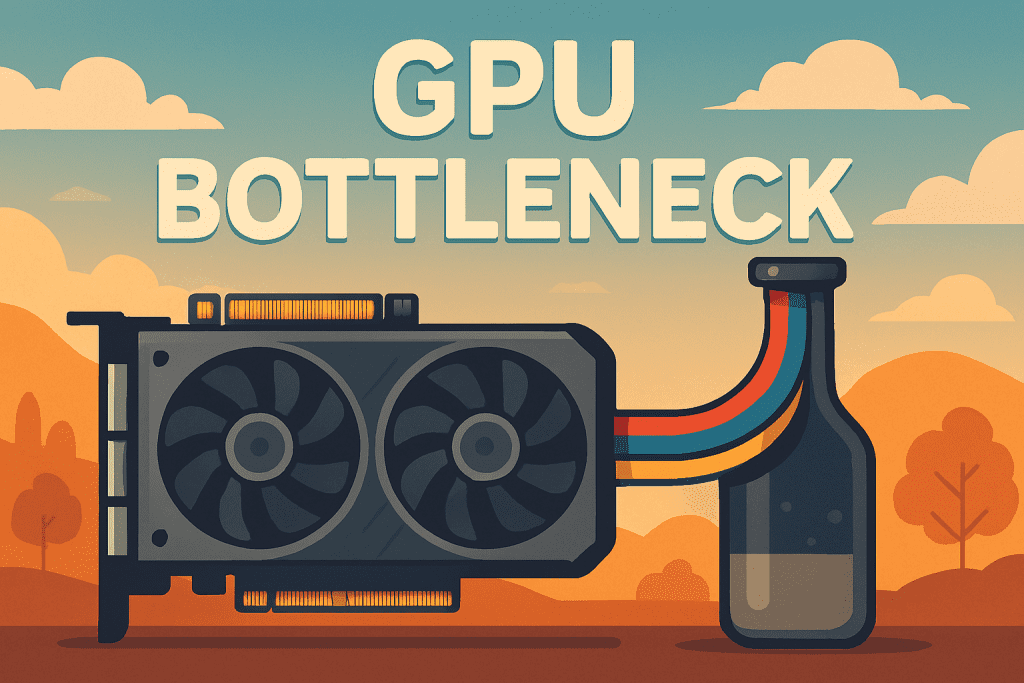
A bottleneck occurs when one component limits the performance of the entire system. No matter how powerful the other parts are, the system can only perform as fast as its weakest link.
For example:
- A high-end GPU paired with a mid-range CPU may show low GPU usage.
- A strong CPU with insufficient RAM may cause stutters and freezes.
- Fast components combined with poor cooling may throttle under load.
Understanding bottlenecks is the foundation of building or upgrading a balanced PC.
Types of PC Bottlenecks You May Face
Types of PC Bottlenecks Calculator Below:
CPU Bottleneck
A CPU bottleneck happens when the processor cannot keep up with the workload required by the GPU or applications. This is common in:
- Competitive and simulation games
- Open-world titles with heavy AI and physics
- Multitasking and background processes
Symptoms include high CPU usage, low GPU utilization, and inconsistent frame rates.
GPU Bottleneck
A GPU bottleneck occurs when the graphics card is the limiting factor. This typically happens at:
- High resolutions (1440p, 4K)
- Ultra graphics settings
- GPU-heavy tasks like rendering or ray tracing
In this case, the CPU may remain underutilized while the GPU operates at maximum capacity.
Other Common Bottlenecks
- RAM bottleneck: Low capacity or slow memory causing stutters
- Storage bottleneck: HDDs slowing load times and system response
- Thermal bottleneck: Overheating causing automatic performance reduction
- Power delivery limitations: PSU or motherboard constraints
Common Signs That Your PC Has a Bottleneck
Users often experience bottlenecks without realizing it. Typical signs include:
- Lower FPS than expected for your hardware
- Sudden frame drops or micro-stuttering
- CPU or GPU stuck at 100% usage
- Long loading times despite fast components
- Performance degradation during extended use
If you have ever asked, “will it bottleneck?”, a proper bottleneck test is the fastest way to get a reliable answer.
Why Detecting Bottlenecks Matters
Ignoring bottlenecks leads to poor upgrade decisions. Many users spend money on new GPUs or CPUs only to see minimal improvement because the real limitation was elsewhere.
Detecting bottlenecks helps you:
- Avoid unnecessary upgrades
- Maximize existing hardware
- Improve gaming and productivity performance
- Extend the lifespan of your system
A CPU GPU bottleneck calculator removes guesswork and replaces it with measurable insight.
What Is a Bottleneck Calculator?
A bottleneck calculator is a tool that evaluates how well your PC components work together. By analyzing the relationship between your CPU, GPU, RAM, and display resolution, it estimates whether performance is balanced or restricted.
Our PC bottleneck calculator focuses on real-world use cases rather than theoretical benchmarks, making it practical for everyday users, gamers, and professionals.
How to Use Our Bottleneck Calculator
Step 1: Input Your Components
Select your CPU, GPU, RAM size, and screen resolution. These factors have the greatest impact on system balance.
Step 2: Run the Calculation
Click the calculate button to initiate the bottleneck test. The tool evaluates component compatibility and performance ratios.
Step 3: Review the Results
You receive a bottleneck percentage along with an explanation of which component is limiting performance and why.
How the Bottleneck Calculator Works
Component Performance Mapping
Each component is mapped against performance benchmarks and real-world workloads.
Balance Evaluation
The calculator compares processing capability, graphical workload, and memory requirements to determine imbalance.
Bottleneck Estimation
A bottleneck value is generated based on which component becomes saturated first under typical usage.
Result Interpretation
The final report explains whether the issue is CPU-related, GPU-related, or system-wide.
Understanding and Interpreting Bottleneck Results
What the Percentage Means
- 0–10%: Excellent balance, no meaningful bottleneck
- 10–25%: Minor bottleneck, usually acceptable
- 25%+: Significant bottleneck affecting performance
Evaluating Component Performance
A higher percentage does not always mean “bad hardware.” It often means mismatched hardware for your specific workload.
Planning Future Upgrades
The calculator helps you decide what to upgrade first, rather than upgrading blindly.
Key Factors Considered in Bottleneck Calculation
CPU
Core count, clock speed, and architecture directly affect processing capability.
GPU
Graphics power, VRAM, and rendering features determine graphical workload handling.
Screen Resolution
Higher resolutions dramatically increase GPU demand.
RAM
Insufficient RAM causes data swapping, stutters, and crashes.
Storage
SSD vs HDD significantly affects responsiveness and load times.
Cooling System
Thermal throttling can create artificial bottlenecks even on powerful systems.
CPU & GPU Bottleneck Scenarios Explained
High CPU Usage, Low GPU Usage
Indicates a CPU bottleneck, common in CPU-intensive games.
Low CPU Usage, High GPU Usage
A GPU bottleneck, typical at higher resolutions.
Both CPU and GPU at Maximum Usage
Balanced system under heavy workload.
Both CPU and GPU Underutilized
Possible software, driver, or configuration limitation.
Understanding these scenarios helps you read bottleneck results accurately.
How Bottlenecks Affect Real-World Performance
Gaming
Lower FPS, input lag, and inconsistent frame pacing.
Video Editing & Rendering
Longer render times and reduced workflow efficiency.
General Use
Slow multitasking, delayed responses, and system lag.
A proper bottleneck test highlights these issues before they become costly problems.
How Our Bottleneck Calculator Helps You
Unlike generic tools, our bottleneck calculator is designed for clarity. It does not overwhelm users with raw data but explains results in a practical, actionable way.
Whether you are building a new PC or upgrading an existing one, the tool provides guidance tailored to real usage scenarios.
Practical Tips to Fix or Prevent Bottlenecks
Upgrade Strategically
Upgrade the weakest component, not the most expensive one.
Increase RAM Where Needed
16GB is ideal for most modern systems.
Match Resolution to GPU Power
Avoid pairing entry-level GPUs with high-resolution displays.
Improve Cooling and Airflow
Prevent thermal throttling that mimics hardware bottlenecks.
Bottleneck Calculator: Our Tool vs Competitors
Many online calculators provide oversimplified results. Our PC bottleneck calculator focuses on realistic performance balance, usability, and actionable insights, making it more reliable for everyday users.
Conclusion
A powerful PC is not defined by individual components but by how well those components work together. Our bottleneck calculator, PC bottleneck calculator, and CPU GPU bottleneck calculator help you identify imbalances, understand performance limitations, and plan upgrades with confidence.
If you want clear answers to “will it bottleneck?”, this tool is built to deliver them accurately, professionally, and efficiently.
Frequently Asked Questions